FAISS (Facebook AI Similarity Search) is an open-source, vector database library that enables efficient storage, retrieval, and similarity search of dense vector embeddings. It overcomes traditional query search engine limitations, allowing for:
- Fast and accurate similarity searches
- Scalable and effective matching of complex data
- Compact and optimized indexing for efficient retrieval of relevant data chunks
Ideal for applications requiring fast and accurate matching, FAISS is a powerful tool for searching and retrieving similar multimedia documents, such as images, videos, and text.
What is Similarity Search?
Similarity search is a process that finds the most similar vectors to a given query vector in a dataset. Faiss is a library that enables efficient similarity search by building a data structure (index) in RAM, allowing for fast and accurate searches.
Key Features of Faiss:
- Nearest Neighbor Search: Finds the closest vector to a query vector using Euclidean distance (L2).
- K-Nearest Neighbors: Returns the top k nearest neighbors to a query vector.
- Batch Processing: Searches multiple vectors at once for faster performance.
- Trade-off between Precision and Speed: Allows for faster searches with reduced precision.
- Maximum Inner Product Search: Finds the vector with the highest inner product with a query vector.
- Range Search: Returns all vectors within a specified radius of a query vector.
- Disk Storage: Stores the index on disk for larger datasets.
- Binary Vector Support: Indexes binary vectors for efficient search.
- Predicate-based Filtering: Ignores specific vectors based on a custom predicate.
In summary, Faiss is a powerful library for similarity search that offers various features for efficient and accurate searches, including nearest neighbor search, batch processing, and trade-offs between precision and speed.
Choosing Between CPU and GPU Versions of Faiss
When installing Faiss, you have two options: CPU and GPU versions. The main difference between them is:
- CPU Version: Uses the processor for computations, suitable for systems without a dedicated GPU.
- GPU Version: Leverages the graphics card for parallel processing, ideal for large-scale datasets and intensive numerical calculations.
How to Decide:
- If you have a system with a GPU and work with large datasets, choose the GPU Version for faster performance.
- If you don’t have a GPU or work with smaller datasets, the CPU Version is a reliable choice.
Let’s create a RAG (Retrieval-Augmented Generation) application using the popular Langchain 🦜 framework, Ollama, and the efficient Faiss library. The best part? You can run everything from your own local environment, without relying on cloud services. This means you’ll have complete control over your application, and can easily test, iterate.
For a deeper dive into RAG and its core concepts, check out our blog post below, which provides a comprehensive overview and explores the key ideas behind Retrieval-Augmented Generation
Installation & Dev Setup
For installation and code setup please refer previous blog.
1. Tools used
- Ollama for running the LLMs locally.
- Lllama Model: Use ollama listto check if it is installed on your system, or else use the command ollama pull llama3.2 to download the latest default manifest of the model.
- FAISS: Vector database to store the vector embeddings.
- Langchain: LangChain is an open-source framework that simplifies the process of building applications with large language models and other transformer-based models. It provides a set of tools and libraries to integrate LLMs into various applications, such as chatbots, text generation, question answering, and text classification, making it easier for developers to work with these models.
2. Ollama Setup
This setup is necessary to configure the LLM and Embedding models.
Note: Please skip the Qdrant setup part as we are using local FAISS library for Vector DB.
3.Implementation
Here is a high-level design diagram illustrating the architecture we aim to achieve as part of this project.

Note: The green flow illustrates the embeddings creation process, while the blue flow represents the query processing workflow
We will build a RAG pipeline to read documents from a folder, utilize the embedding model hosted from Ollama to create embeddings, and then pass them to FAISS vector database to create an index for the uploaded documents. Subsequently, for query processing, we will load the same FAISS index to fetch relevant chunks, which will be passed to the LLM along with context to generate an accurate response.
In this blog, we will explore the multiple options available in the Faiss vector database for fine-tuning similarity search
Start coding…
- Clone the project from https://github.com/ekluvtech/faissrag.git
- Navigate to project folder and setup separate env using the following commands.
#windows
python3 -m venv faissenv
.\faissenv\Scripts\activate
#MAC
python3.10 -m venv docusum
source docusum/bin/activate- Update the configuration parameters in config.pywith your own values
import os
#ollama
OLLAMA_URL= os.getenv('OLLAMA_URL','http://localhost:11434')
LLM_MODEL = os.getenv('LLM_MODEL','llama3.2')
EMBED_MODEL = os.getenv('EMBED_MODEL','mxbai-embed-large:latest')
FAISS_INDEX_NAME= os.getenv('FAISS_INDEX_NAME','faiss_idx')
# vector store config
FOLDER_PATH = os.getenv('FOLDER_PATH','D:\\work\\genai\\faissrag\\data')
INDEX_STORAGE_PATH = os.getenv('INDEX_STORAGE_PATH','D:\\work\\genai\\faissrag\\index')- main.py: code walkthrough
- init_llm(): Initialize the Large Language Model (LLM) and Embed model in this method. Ensure Ollama is up and running and retrieve configuration settings (OLLAMA_URL, LLM_MODEL, and EMBED_MODEL) from config.py. The
ollmandembed_modelvariables are declared as global to facilitate access in subsequent calls
def init_llm():
global ollm
global embed_model
ollm = OllamaLLM(model=f"{LLM_MODEL}",base_url=f"{OLLAMA_URL}")
embed_model = OllamaEmbeddings(base_url=f"{OLLAMA_URL}",model=f"{EMBED_MODEL}")- load_index(): Load documents from the specified FOLDER_PATH, split them into manageable chunks using a text splitter, and then utilize the
embed_modelto convert these chunks into embeddings. The FAISS.from_documentsmethod will facilitate the conversion of document chunks into embeddings, which will then be indexed and stored in FAISS_INDEX_NAME for future reference and efficient querying.
def load_index():
path = f"{FOLDER_PATH}"
logging.info("*** Loading docs from %s",path)
for entry in os.listdir(path):
full_path = os.path.join(path, entry)
logging.info("*** Loading %s",full_path)
loader = PyPDFLoader(full_path)
documents = loader.load()
text_splitter = CharacterTextSplitter(chunk_size=1000, chunk_overlap=30, separator="\n")
docs = text_splitter.split_documents(documents=documents)
# Create vectors
vectorstore = FAISS.from_documents(docs, embed_model)
# Persist the vectors locally on disk
vectorstore.save_local(f"{FAISS_INDEX_NAME}")- query_pdf(): Create a vector store based on the previously generated index, enabling users to interact with the documents through RetrievalQA, allowing for question-answering and information retrieval capabilities.
def query_pdf(query):
# Load document using PyPDFLoader document loader
# Load from local storage
persisted_vectorstore = FAISS.load_local(f"{FAISS_INDEX_NAME}", embed_model,allow_dangerous_deserialization=True)
qa = RetrievalQA.from_chain_type(llm=ollm, chain_type="stuff", retriever=persisted_vectorstore.as_retriever())
result = qa.invoke(query)
json_str = json.dumps(result, indent=4)
print(json_str)- Run the program by using the following command. Once started, the program will expect user input, allowing you to type a question about the documents and obtain a corresponding answer.
python3 main.py- Docs:
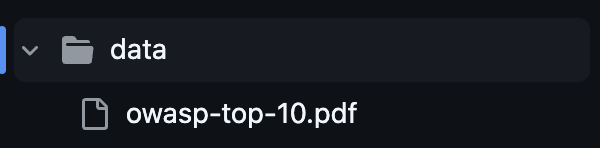
- Question: List out top 10 OWASP vulnerabilities and the below is the ouput.

- Full code: https://github.com/ekluvtech/faissrag
Conclusion:
FAISS (Facebook AI Similarity Search) is an open-source library that enables efficient similarity search and storage of dense vector embeddings, providing fast and accurate searches, scalable matching, and compact indexing. By leveraging FAISS, Langchain, and Ollama, we have successfully built a RAG (Retrieval-Augmented Generation) pipeline with a simple use case, demonstrating its potential. Furthermore, FAISS offers advanced indexing options, including IndexFlatL2, IndexIVFFlat, and IndexIVFPQ, which can be fine-tuned to optimize accuracy and speed, allowing for extensive customization to meet specific requirements.
Happy Coding!!